Protection for the mail you send and the mail you receive
Your domain's reputation decides whether your mail reaches the inbox. One Bit Mail protects it with limits and checks on everything you send, and keeps unwanted mail out of your inbox.
What it does
Sending limits
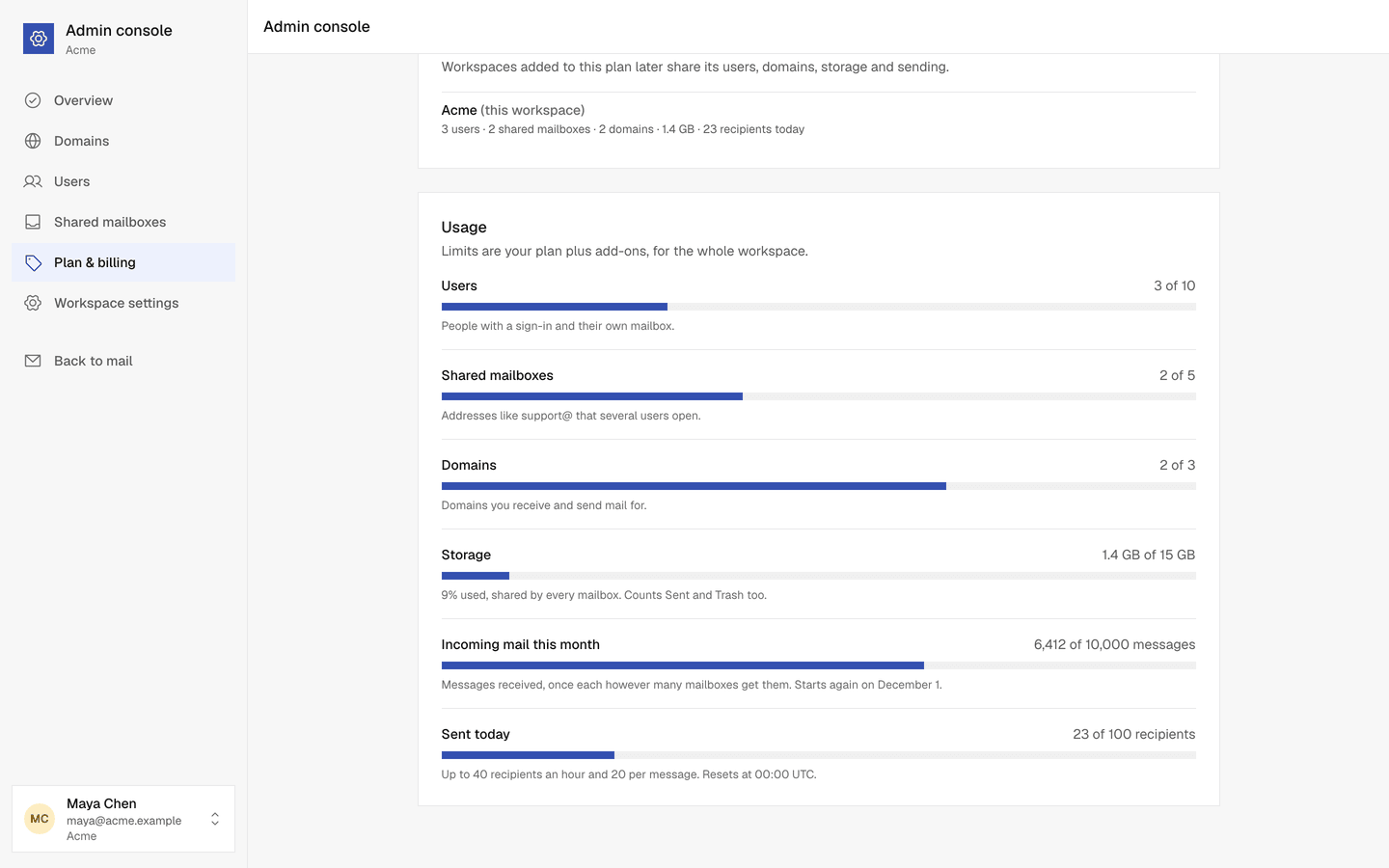
Limits per day, per hour, per mailbox and per message keep one mistake or a taken over account from hurting your domain. New workspaces start lower and rise with a clean history.
A quick review for unusual mail
Mail to many addresses your workspace has never written to before waits for a short review. Replies in a conversation never count as new.
Bounces and spam reports watched
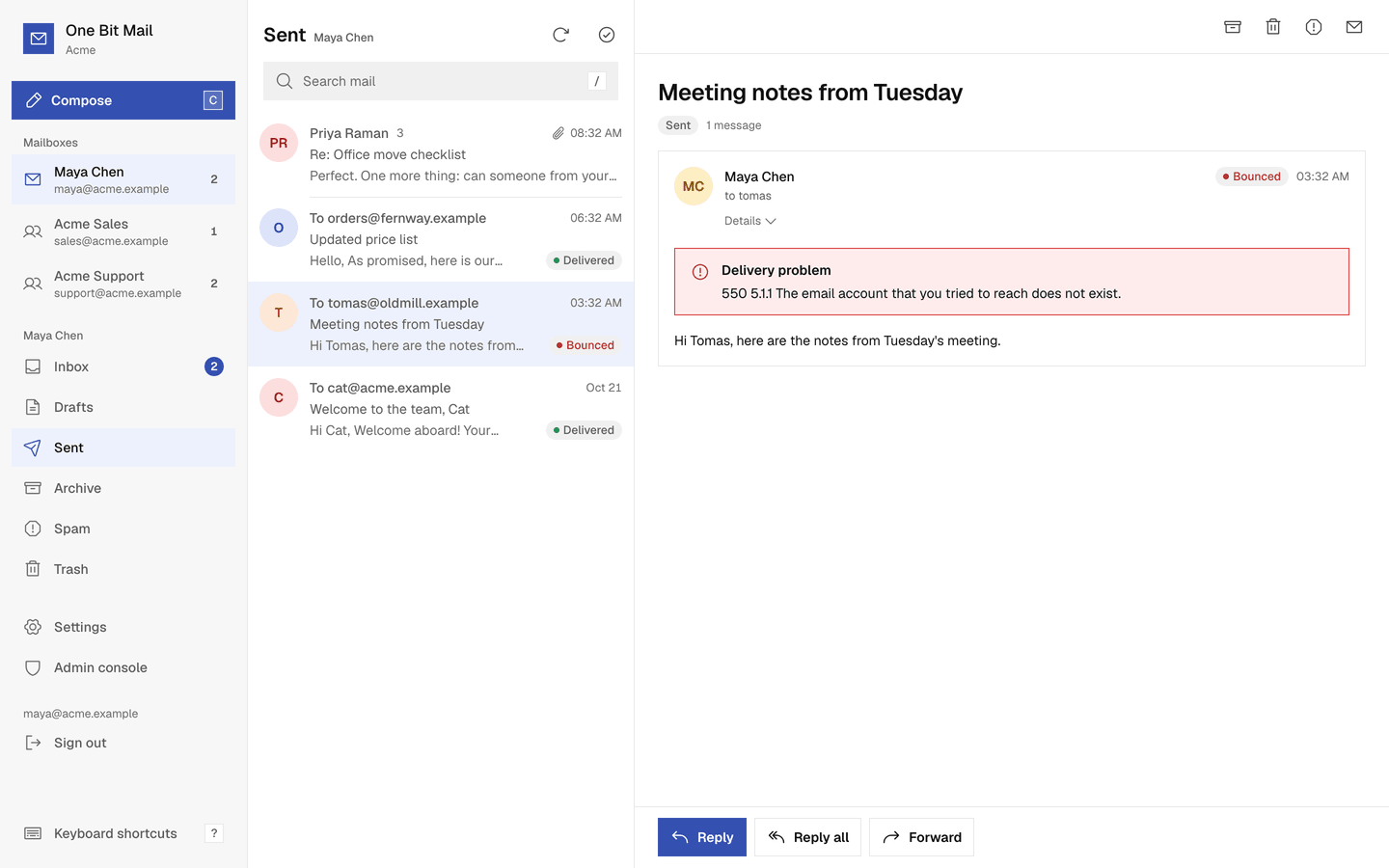
When too much mail bounces or is marked as spam, admins are warned first, then limits are halved, then sending pauses. Addresses that bounce for good are not sent to again.
Risky attachments blocked
Programs, scripts, disk images, Office files with macros and password protected ZIP files can't be sent.
A Spam folder
Incoming mail our checks judge as spam goes to the mailbox's Spam folder instead of the Inbox. People you have written to are never sent to Spam.
See why, and fix it
A message in Spam says why it is there. Not spam moves it back and always lets that sender through to the mailbox; Report spam moves a message the other way.
Viruses stopped
Incoming mail found to carry a virus is not delivered to any mailbox.
Unusual mail reviewed
Outgoing mail to far more new recipients than usual, or with a link on our block list, waits for a quick review by our team before it is sent.
How it works
- 1
Before a message goes out
Limits, blocked attachments and addresses that bounced before are checked. If something stops the message, you see why, and it stays a draft.
- 2
Unusual mail waits
Mail to many new addresses waits for a short review and is then sent or declined. A held message that is not reviewed within 72 hours is not sent, and admins are told.
- 3
After it is sent
Bounces and spam reports are counted over 7 days. Rising rates first warn admins, then halve the limits, then pause sending until we review it.
Questions, answered
More answers are in the help center, or write to support@onebitmail.com.
Why does sending have limits?
Limits protect delivery for every customer, including you. They count recipients, not messages, and reset every hour and every day. See Sending limits.
What happens if sending is paused?
Everyone can still sign in, read and receive mail. An admin fixes the cause and writes to abuse@onebitmail.com. We review every pause by hand.
Is mail in Spam bounced?
No. It is kept in the mailbox's Spam folder. Open Spam and move a conversation back to the Inbox if it is not spam.
Can I send newsletters?
One Bit Mail is for person to person business mail. It is not for newsletters or marketing to bought lists. See the acceptable use policy.
Read more in the help center
- Sending limitsHow many recipients your workspace can send to per day, per hour and per message, and when the limits reset.
- Delivery status and held messagesWhat Queued, Sent, Delivered, Bounced, Complaint and Failed mean, and why a message can wait for review.
- Sending is paused or limitedWhy sending was warned, limited or paused for your workspace, and how to get it back.
- Write, reply and sendCompose a message, pick the From address, add attachments, undo a send and keep drafts.
- My sent mail lands in spamWhy your messages end up in the recipient's spam folder, and what you can do about it.
- Find your way around your inboxMailboxes and folders, conversations, read and unread, archive, trash, spam and images.
Related features
- DMARC reportsOne Bit Mail collects the DMARC reports for your domains and shows them on each domain's page: which servers send as you, whether they pass, and when it is safe to make your policy stricter.
- The inboxConversations that stay together, search across every folder, keyboard shortcuts, undo send, delivery status for everything you send, and remote images blocked until you allow them.
Start free,
add your team when you are ready
Every request is reviewed by hand. Approved workspaces start on the free plan.
Request access