One plan for all your workspaces
Run more than one company or brand? Give each its own workspace, with its own domain, people and mail, and pay for one plan that covers them all.

What it does
A workspace per company
Each workspace has its own domains, users, shared mailboxes and mail. Create another one from the account menu, with no new request to fill in.
One plan, one invoice
Users, shared mailboxes, domains, storage, sending and incoming mail are counted across all the workspaces on the plan together.
Kept apart where it matters
Each workspace keeps its own admins, mail and sending history. If one workspace's sending is slowed or paused, the others are not affected.
Switch in one click
Be signed in to up to 5 accounts in one browser, and switch from the account menu, which shows each account's unread count.
Usage per workspace
Plan & billing shows each workspace on the plan and what it uses.
Add only what you need
Need one more user or domain? Add it to the plan as an add-on instead of moving up a plan. See pricing.
How it works
- 1
Open the account menu
At the bottom of the sidebar (on a phone, open the menu first), choose Create a workspace.
- 2
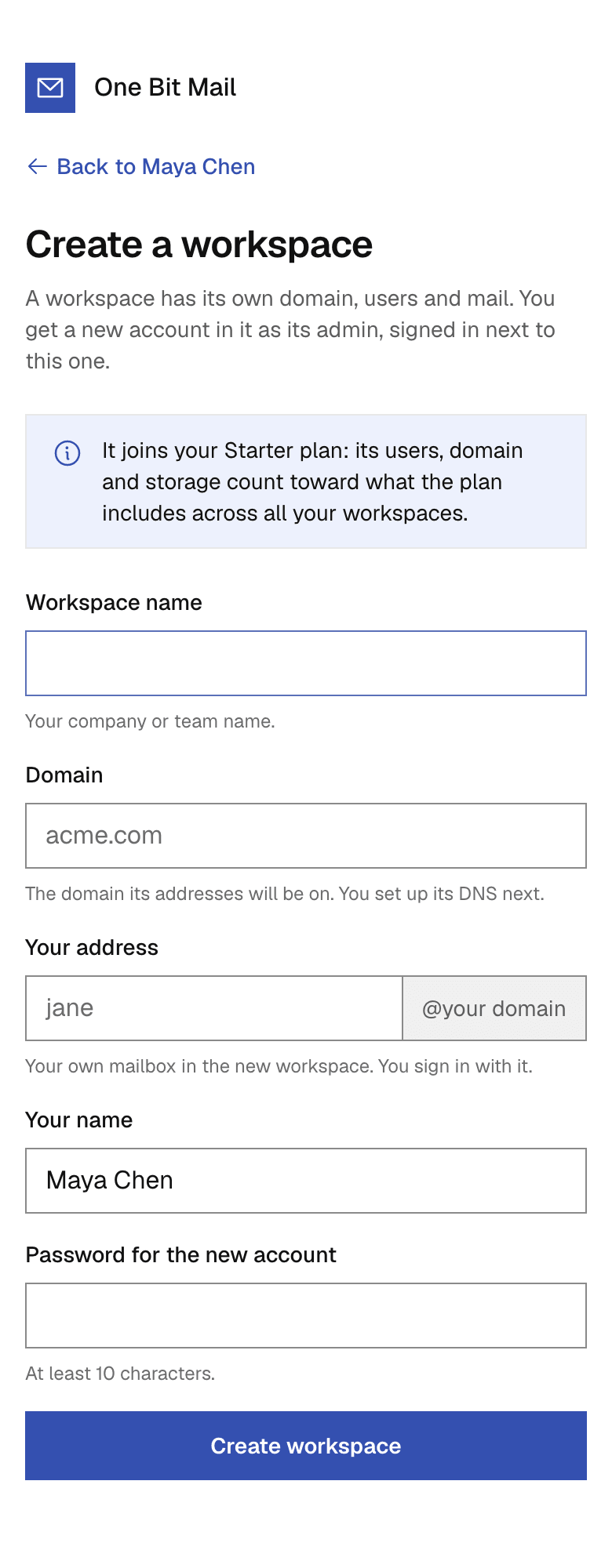
Fill in the basics
The workspace name, its domain, your address on it, your name and a password for the new account.
- 3
Start using it
The new account is signed in next to yours and opens in its Admin console. Add the domain's DNS records next.
Questions, answered
More answers are in the help center, or write to support@onebitmail.com.
Do I pay for each workspace?
No. If you manage your plan, a new workspace joins it and draws from the same limits, on one invoice.
What if I don't manage a plan?
Then the new workspace starts on the Free plan, on its own. You can upgrade it later from Plan & billing in its Admin console.
Can two workspaces use the same domain?
No. A domain can belong to only one workspace.
How many workspaces can I create?
Up to 5 a day. Each one needs room on the plan for one more user and one more domain.
Read more in the help center
- Create another workspaceStart a second workspace for another company or brand from the account menu, and how its plan works.
- Plans and limitsWhat each plan includes, how limits add up with add-ons, and where to see your usage.
- Sign in to One Bit MailSign in with your work address or a passkey, use several accounts in one browser, stay signed in, and sign out.
- Add-onsBuy extra users, domains, storage, sending or incoming mail on top of any plan.
- Billing and paymentsPay by card, change plan, see invoices, update your card, and what happens when a payment fails.
Related features
- Users and the Admin consoleAdmins add users, reset passwords, sign people out everywhere, set up shared mailboxes and forwarding, and manage the plan, in one place that never shows anyone's mail.
- Your own domainAdd a domain you own and keep its DNS where it is. One Bit Mail lists every record to add, checks them for you and tells you when something breaks.
Start free,
add your team when you are ready
Every request is reviewed by hand. Approved workspaces start on the free plan.
Request access