Forward a mailbox to any address, with nothing lost
Someone is on leave, someone left, or a shared mailbox should also reach an outside tool. Admins forward any mailbox to an address at any provider, and forwarding starts only once that address confirms it.
What it does
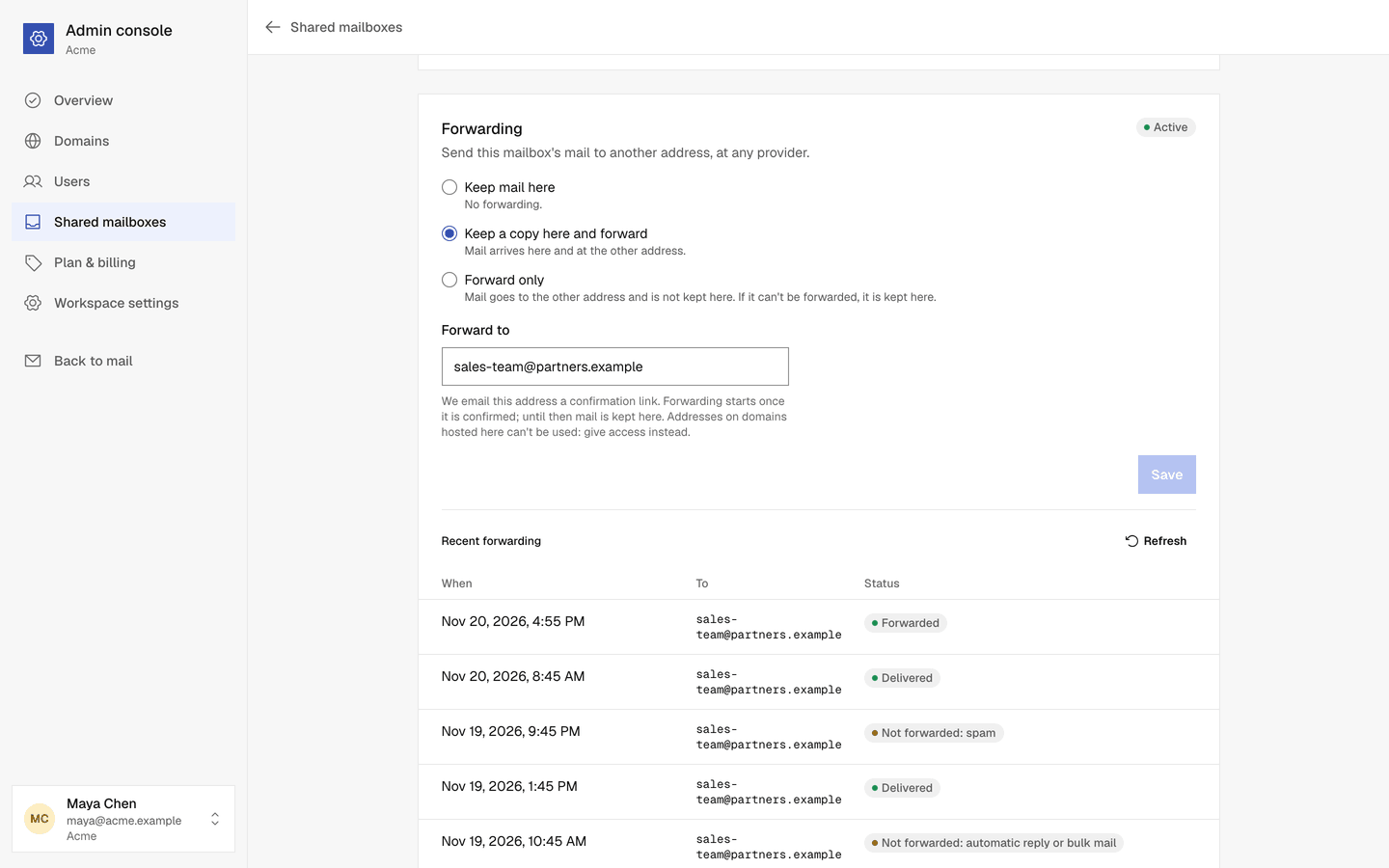
Keep a copy, or forward only
Mail can arrive here and go to the other address, or go there only. If a message can't be forwarded, it is kept here, so nothing is lost.
Confirmed by the other side
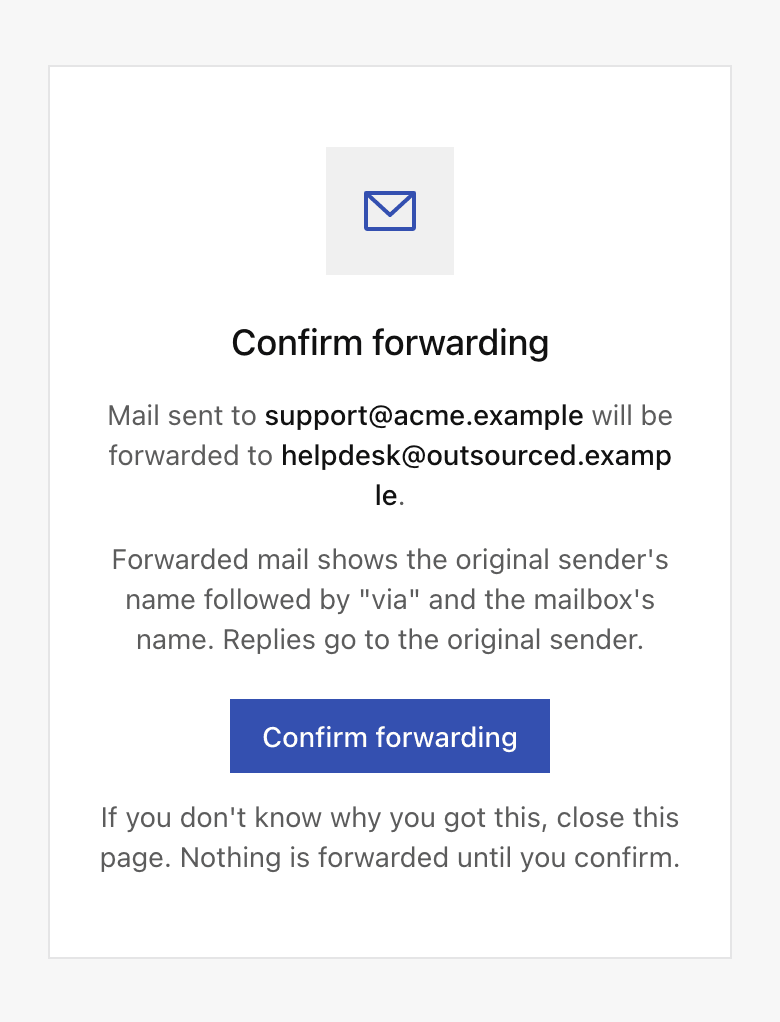
Forwarding starts only after someone at the other address opens the link we send and chooses Confirm forwarding.
Passes the other provider's checks
Forwarded mail comes from the mailbox's own address, shows the original sender's name, and replies go to the original sender.
No loops, no noise
Out of office replies, delivery reports, list mail, spam and mail that was already forwarded once stay here.
Recent forwarding
See the last 20 forwarded messages: when, to which address, and whether each was delivered. Never their content.
Stops when the address fails
If the other address bounces or reports forwarded mail as spam, forwarding to it stops until you set a different address.
How it works
- 1
Open the mailbox
In the Admin console, open the user under Users or the shared mailbox under Shared mailboxes.
- 2
Choose a mode and an address
Under Forwarding, choose Keep a copy here and forward or Forward only, enter the address and save.
- 3
Wait for the confirmation
The mailbox shows Waiting for confirmation until the link is used, then Active. The link works for 7 days.
Questions, answered
More answers are in the help center, or write to support@onebitmail.com.
Can users turn on forwarding themselves?
No. Admins set forwarding in the Admin console, for a user's mailbox or a shared mailbox.
Can I forward to a colleague on One Bit Mail?
Not to an address on a domain hosted by One Bit Mail, because that would loop. Give the colleague access to the mailbox instead.
Does forwarded mail count toward sending limits?
Yes, like any other message. If sending is paused or a limit is reached, mail is kept here and not forwarded.
What does a forwarded message look like?
The subject, text, pictures and attachments are unchanged, with no Fwd: in front. From shows the original sender's name, then via and the mailbox's name, and Reply goes to the original sender.
Read more in the help center
- Forward mail to another addressSend copies of a mailbox's mail to another address, or forward it without keeping it here.
- Manage usersMake someone an admin, reset a password, sign a user out everywhere, suspend a user or delete them.
- Shared mailboxesCreate addresses like support@ that several users can open, and choose who can send from them.
- Sending limitsHow many recipients your workspace can send to per day, per hour and per message, and when the limits reset.
Related features
- Mailboxes and shared mailboxesEach user gets their own address, sign in and inbox. Shared mailboxes like support@ open for the users you choose, with read access or read and send access.
- Users and the Admin consoleAdmins add users, reset passwords, sign people out everywhere, set up shared mailboxes and forwarding, and manage the plan, in one place that never shows anyone's mail.
Start free,
add your team when you are ready
Every request is reviewed by hand. Approved workspaces start on the free plan.
Request access